
What is AI product photography?
AI product photography uses photographs of an existing product as visual references for creating new product images.
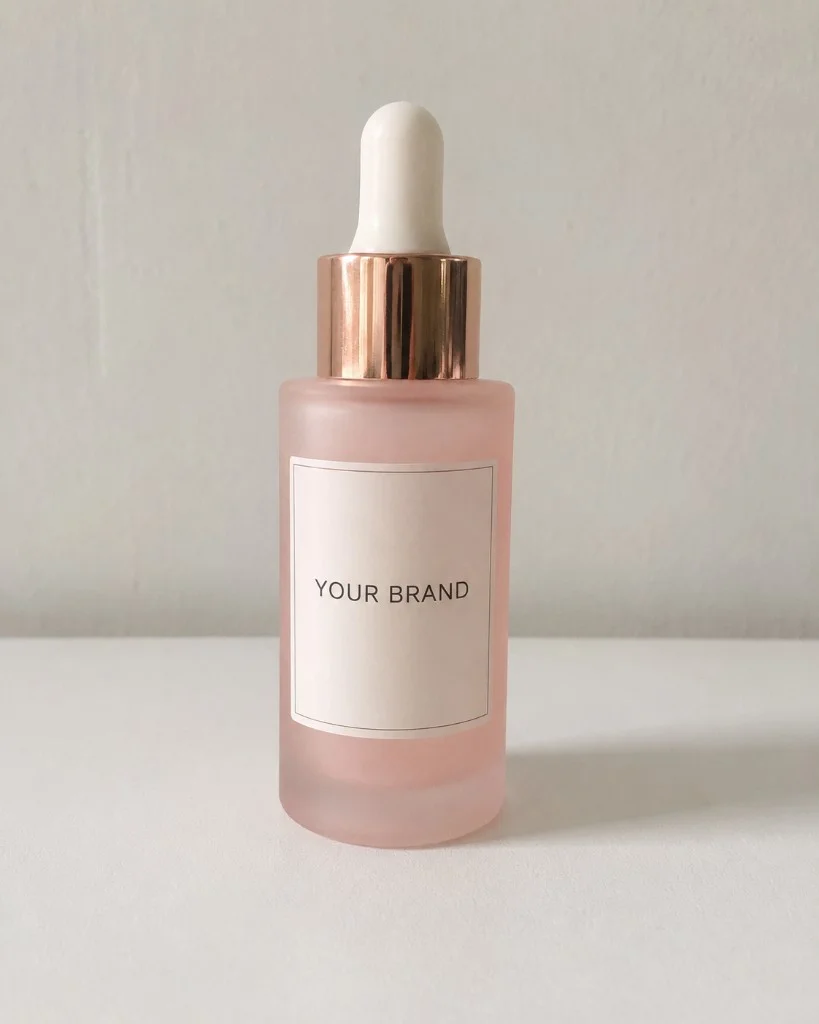
Imagine you have a simple photograph of a serum bottle on a neutral table.
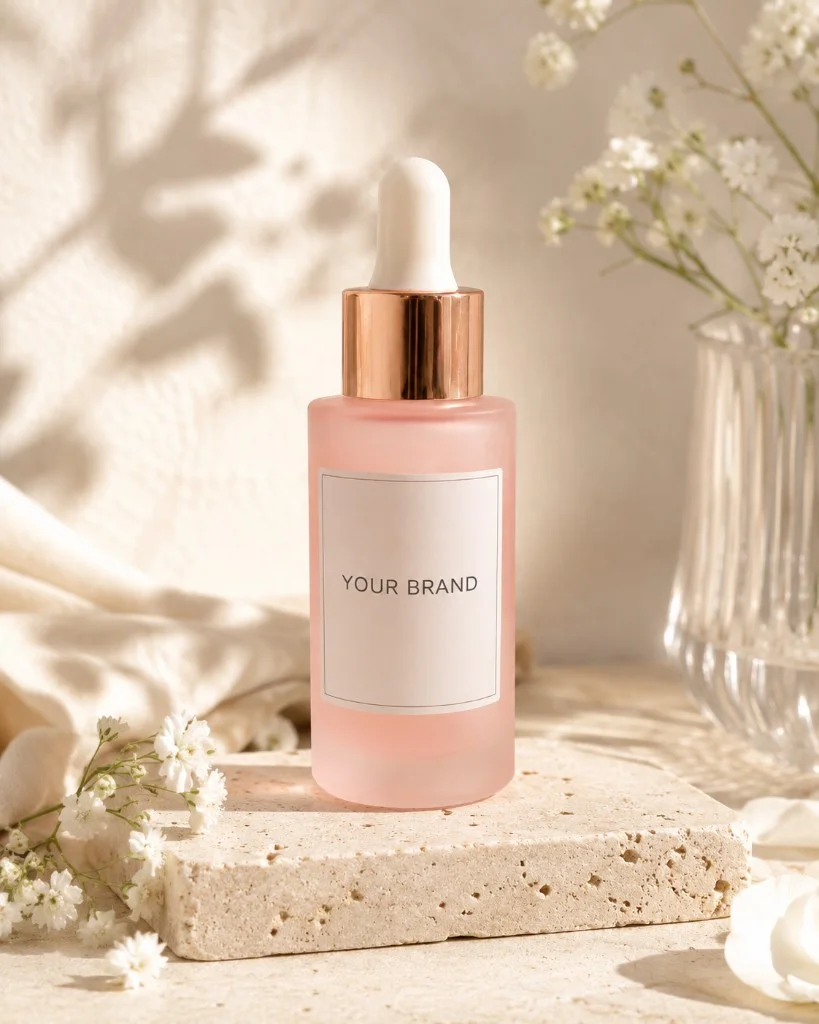
That photograph can provide visual information about the bottle shape, label, cap, colours and proportions. AI can then use the product as a reference while creating a different environment around it.
The same serum could appear in:
- a clean studio composition;
- a botanical skincare scene;
- a spa-inspired setting;
- a dark premium campaign;
- a water-based composition;
- an editorial product image;
- a square ecommerce visual;
- a vertical social media image;
- a wide advertising banner.
The goal is not to invent another product. The goal is to create new visual content around the product you already have.
Why beauty product photography is a particularly good use case for AI
Beauty brands need a large amount of visual content.
One product launch may require images for:
- the online store;
- product pages;
- Instagram;
- Instagram Stories;
- Reels;
- TikTok;
- Pinterest;
- paid advertising;
- email campaigns;
- website banners.
Creating each asset separately can turn one product launch into a substantial photography and editing project.
AI makes it possible to explore more compositions and formats from the same product references without physically rebuilding each scene.
But cosmetics and perfume also present several challenges that make a beauty-specific workflow important.
Labels and branding matter
A visually attractive image is not useful if the brand name, bottle proportions or packaging identity have changed.
Small typography is still difficult for image-generation models, so labels, logos and fine packaging details should always be checked before an image is published.
Beauty packaging is often reflective
Perfume bottles, glossy jars, metallic caps, pumps and glass containers contain reflections and transparency.
These materials are visually more complex than a simple matte object.
Clear reference photos from more than one angle can give the model more information about the real shape and construction of the product.
A campaign needs consistency
Generating one attractive image is relatively easy.
Creating a collection of images that feel like one photoshoot is harder.
Lighting, colours, props and atmosphere need to remain related while camera angle, composition and image format change.
For a brand, this consistency is what turns several individual AI images into a usable campaign.
How does AI product photography work?
The exact workflow depends on the tool, but a product-specific process usually has four stages.
1. Upload photos of the real product
Start with clear photographs showing what the product actually looks like.
One image can be enough for simple compositions, but different angles provide additional visual information.
2. Define the visual direction
Choose the atmosphere you want around the product.
For example:
- minimal;
- luxury;
- botanical;
- clean beauty;
- clinical;
- spa;
- fresh water;
- dark premium;
- soft feminine;
- perfume editorial;
- lifestyle.
Colour, background and scene elements can then reinforce that direction.
3. Plan different shots
A useful photoshoot should not contain six nearly identical front-facing images.
Different images can have different jobs:
- hero shot;
- alternative angle;
- close-up;
- top-down composition;
- detail shot;
- packaging image;
- lifestyle scene;
- vertical social composition;
- wide advertising composition.
4. Generate formats for different channels
The composition should change with the aspect ratio.
A square ecommerce image, vertical Story and wide website banner should not simply be three crops of exactly the same composition.
They need different amounts of space around the product and often different product placement.
What photos should you upload for AI product photography?
Better input usually gives an AI system more useful information about the real object.
You do not need professional photography for the references.
A smartphone is enough if the images are sharp, well lit and accurate.
If you upload one photo
Choose a clear front-facing image.
Make sure:
- the complete product is visible;
- the label is in focus;
- the cap or pump is visible;
- the product is not heavily tilted;
- the true packaging colours are visible;
- strong reflections are not covering important details.
If you can provide several photos
Use each image to show something new.
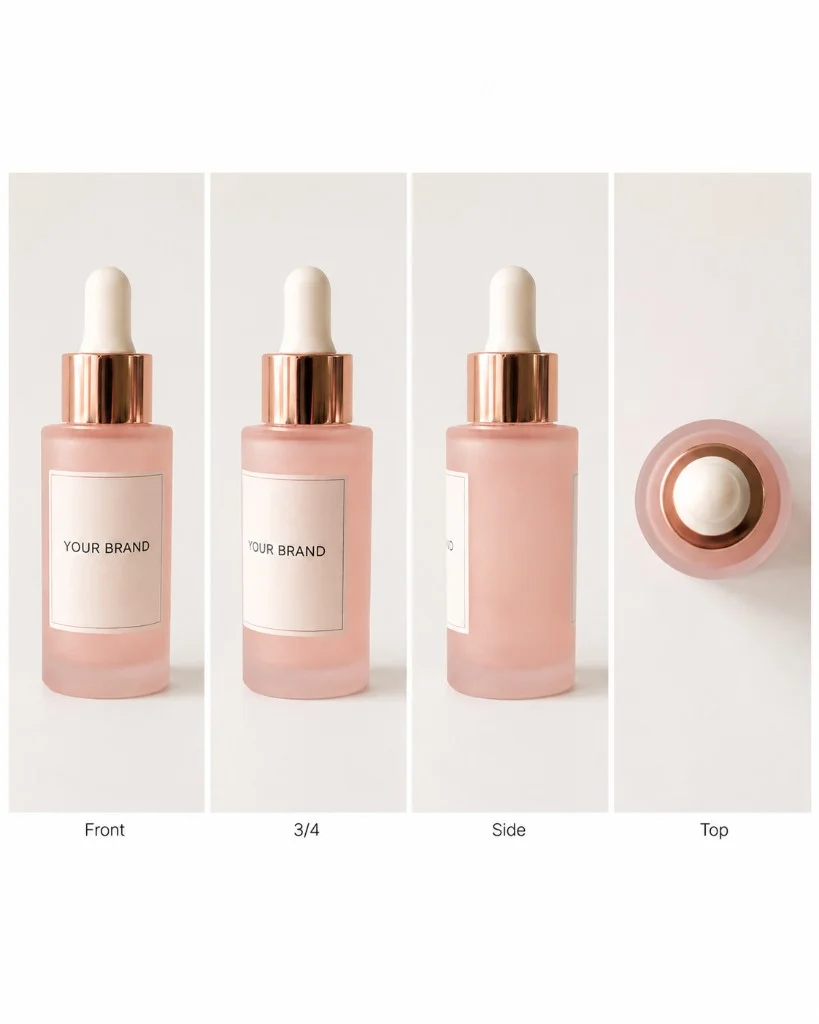
A useful set is:
- Front view - main label and proportions.
- Three-quarter or side view - depth and side shape.
- Top or closure view - cap, pump or dropper construction.
- Packaging view - outer box or additional packaging, when relevant.
Avoid uploading four almost identical front photographs.
How to photograph a beauty product at home
Your reference image does not have to look like an advertisement. Its job is to describe the product clearly.
Use soft light
Place the product near a window with soft indirect daylight.
Avoid strong direct sunlight if it creates:
- hard shadows;
- blown-out highlights;
- reflections over the label;
- inaccurate colours.
For reflective packaging, changing the angle of the product slightly can move unwanted reflections away from important areas.
Use a simple background
A neutral wall, plain paper or uncluttered tabletop is usually enough.
You do not need flowers, ingredients or decorative props in the reference photograph. Those elements can be introduced later when creating the styled scene.
Keep the label sharp
Tap the product on your phone screen to focus on it.
Inspect the original photograph at full size before uploading it.
A label that looks sharp on a small phone preview may still be blurry when enlarged.
Do not crop the product
Include the complete bottle, jar, tube or box.
If the cap or bottom is missing, the model has less visual information about what that area should look like.
Avoid aggressive editing
Strong filters can alter the packaging colour, remove transparent edges or change material texture. For a reference photograph, accurate is more useful than dramatic.
What product photos does a beauty brand actually need?
A useful product photoshoot should be planned around how the images will be used.
Ecommerce and product pages
Prioritise clarity.
Useful images include:
- a clear hero image;
- front view;
- alternative angle;
- packaging;
- close-up detail;
- secondary styled images.
Instagram and Pinterest
The image needs to work in a visual feed.
You can use:
- editorial compositions;
- ingredient-focused scenes;
- lifestyle images;
- close-ups;
- vertical product portraits;
- campaign images.
Stories, Reels and TikTok
Vertical content needs its own composition.
A 9:16 canvas gives you space above and below the product, but important details should remain away from interface areas.
Website banners and advertising
Wide compositions can place the product to one side and leave negative space for:
- a headline;
- offer;
- logo;
- call to action.
The four useful image formats for a beauty campaign
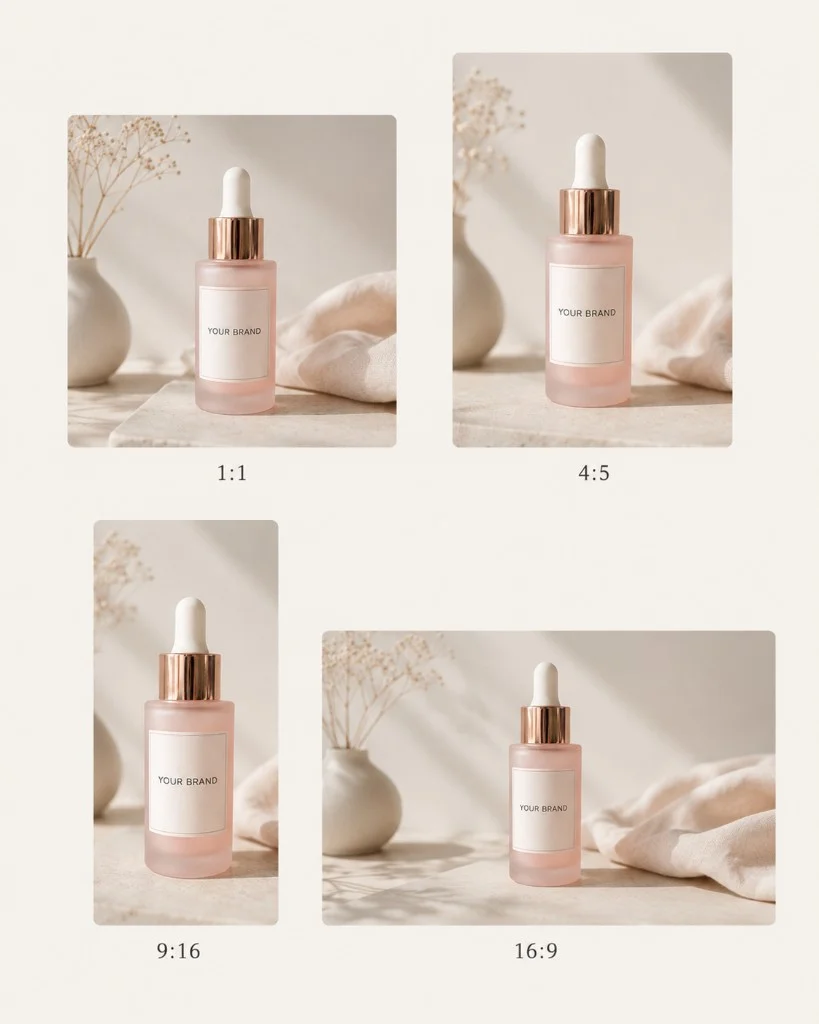
A practical multi-channel photoshoot can include four main aspect ratios.
Square
1:1
Ecommerce, product grids, social media, campaign tiles.
Portrait
4:5
Instagram feed posts, mobile-first campaign images, product portraits.
Story
9:16
Instagram Stories, Reels, TikTok, vertical ads.
Landscape
16:9
Website banners, campaign headers, advertising, wide layouts.
Product Wrap generates photoshoots across square, portrait, Story and landscape formats so the final set can be used across several channels rather than being designed for only one placement.
How to make AI product photos look like one real campaign
Consistency is one of the biggest differences between generating isolated images and planning a complete photoshoot.
A cohesive set should share several visual decisions.
Keep the lighting direction related
One image can be brighter than another, but switching between completely unrelated lighting styles can make the set feel like several different campaigns.
Limit the colour palette
Choose one or two accent colours that work with the existing packaging. The environment should support the real product colour rather than repaint the product itself.
Repeat some visual elements
A material, flower, ingredient or surface can appear across multiple images. It does not need to appear in every frame. Small repetitions are often enough to connect the set visually.
Change the camera, not the brand
Variety should come from composition:
- front view;
- angle;
- close-up;
- overhead shot;
- negative space;
- different framing.
The identity of the product should remain stable.
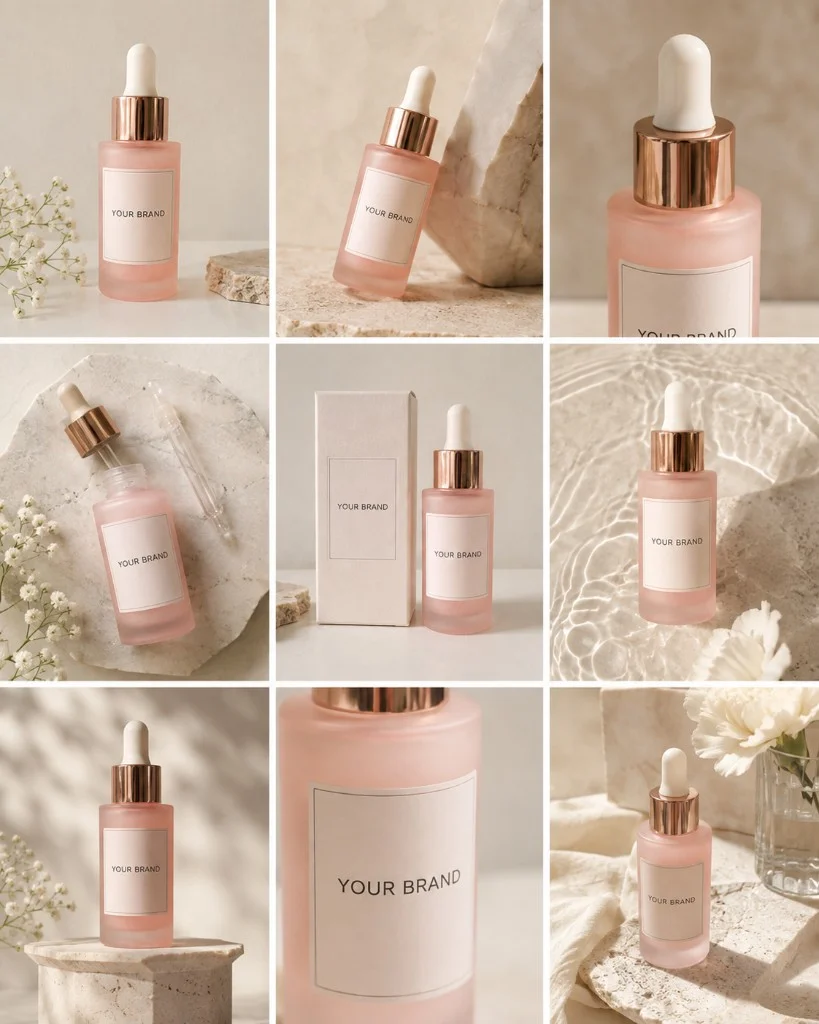
AI product photography for skincare and cosmetics
Skincare photography often needs to communicate cleanliness, ingredients, texture or efficacy without making the scene visually overwhelming.
Useful directions include:
Clean beauty
Light backgrounds, natural materials and restrained styling can work well for products positioned around simplicity and transparency.
Botanical
Plants, leaves or selected ingredients can connect the visual identity to the formula or brand story. Avoid surrounding the product with every ingredient at once. One or two recognisable elements usually create a clearer composition.
Clinical
Controlled surfaces, glass, clean geometry and restrained colours can support products with a science-focused identity.
Spa
Stone, towels, water and soft lighting can make the product feel connected to a self-care ritual.
AI product photography for perfume
Fragrance photography has a different challenge: the image needs to suggest something the viewer cannot smell.
Visual direction can communicate whether a fragrance feels:
- fresh;
- dark;
- floral;
- woody;
- warm;
- aquatic;
- soft;
- experimental;
- luxurious.
A fresh aquatic fragrance may use transparent surfaces, water and bright light. A woody evening fragrance may work better with deep shadows, stone and warm highlights.
A floral fragrance does not necessarily need a frame filled with flowers. One recognisable botanical element can often communicate the idea more elegantly.
AI product photography vs traditional photography
AI product photography and traditional photography solve overlapping but not identical problems.
AI product photography is useful when you need
- more social content;
- several visual concepts;
- secondary ecommerce images;
- campaign variations;
- seasonal scenes;
- different formats;
- advertising concepts;
- a photoshoot without organising a physical studio.
Traditional photography is preferable when you need
- exact documentation of the physical product;
- guaranteed accuracy of every packaging detail;
- real people interacting with the product;
- precise demonstrations;
- highly controlled macro photography;
- legally or technically sensitive representations.
For many small beauty brands, the most practical approach does not have to be "AI or photographer". A real product photo can provide the accurate product reference, while AI can expand the amount and variety of creative content around it.
Can AI keep labels and logos accurate?
This is one of the most important limitations to understand.
Image-generation systems can alter small text, fine typography and tiny packaging details. Better reference photos can help, but every final image should still be inspected.
Before publishing, zoom in and check:
- brand name;
- logo;
- product name;
- label text;
- bottle proportions;
- cap;
- pump or dropper;
- packaging edges;
- reflections;
- product colour.
Do not publish an image simply because the overall scene looks attractive. Product accuracy matters more.
Do you need to write AI prompts?
Not necessarily.
A general-purpose image generator often requires you to describe:
- product restrictions;
- lighting;
- camera angle;
- composition;
- background;
- materials;
- props;
- colours;
- image format;
- consistency requirements.
Doing this for every shot can turn AI product photography into a prompt-writing project.
Product Wrap takes a different approach.
The workflow is designed specifically around cosmetics and fragrance. You upload one to four photos of the product, then choose the visual direction, scene elements, background, accent colours and photoshoot size.
The system plans the shots and creates the generation instructions for the individual images. That means you can focus on how the campaign should look instead of learning how to construct image-generation prompts.
How Product Wrap creates a beauty product photoshoot
Step 1 - Upload your product
Add one to four reference photos of your skincare, cosmetic or perfume product.
Step 2 - Choose a visual theme
Select a direction that fits the brand. Product Wrap offers visual themes including Luxury, Clean Beauty, Nature, Spa, Minimal, Botanical, Dermatology / Clinical, Soft Feminine, Dark Premium, Fresh Water, Perfume Editorial, Everyday Lifestyle.
Step 3 - Build the scene
Choose relevant scene elements, background and other visual details supported by the generator.
Step 4 - Select accent colours
Add up to two accent colours to guide the surrounding scene styling.
Step 5 - Choose your photoshoot
Choose one of the current packages: Starter (6 images), Shop Set (9 images), Launch Set (12 images).
Step 6 - Review the planned photoshoot
Product Wrap plans a mix of compositions and formats before generation. You do not have to create an account before starting the purchase flow.
AI product photography checklist
Before generating
- Use clear photos of the real product whenever possible.
- Upload a sharp front-facing image.
- Add other angles if available.
- Keep the complete product visible.
- Check that the label is readable.
- Avoid strong filters.
- Choose a visual direction that fits the brand.
- Think about where the images will be published.
After generating
- Check the logo.
- Check label text.
- Check the cap, pump or dropper.
- Check the product shape.
- Check packaging colours.
- Check reflections and transparent areas.
- Make sure different images still feel like one campaign.
- Review every image before using it commercially.
Frequently asked questions about AI product photography
- Can AI create product photography from one photo?
- Yes. One clear reference image can be enough for some AI product compositions. Additional angles can provide more information about the product's shape, depth, closure and packaging.
- Can I use phone photos?
- Yes. A clear smartphone photograph can be used as a reference. Good light, sharp focus and accurate product colours matter more than creating a professional-looking reference image.
- Is AI product photography suitable for skincare?
- Yes, particularly for styled campaign images, social media, lifestyle scenes and secondary ecommerce visuals. All generated images should still be checked for packaging accuracy before publication.
- Can AI create perfume product photography?
- Yes. Perfume is particularly suited to visual storytelling because scene, colour, materials and lighting can communicate the mood of a fragrance. Transparent glass and small label details require additional attention.
- Do I need a studio?
- No studio is required to create the reference photographs. Clear photographs taken at home can be used as the starting point for an AI photoshoot.
- Do I need to write prompts?
- Not with a guided product-photography workflow such as Product Wrap. The visual choices are collected through the generator and used to build the individual shots automatically.
- How many images should a product photoshoot contain?
- It depends on the launch. A small set may be enough for several product and social images, while a larger campaign may need additional angles, vertical content and advertising assets. Product Wrap packages currently include 6, 9, 12 images.